
Kopano summary

Kopano

The Kopano Groupware reached EOL (End of Life for support) on 31 March 2025. Based on the successful Zarafa platform Kopano Groupware was a popular alterative to Microsoft Exchange for single tenant (single customer) on-premise and cloud deployment in small, medium and large businesses.

What’s next? Please contact us to discuss the best way to take Kopano forward for existing on-premise and cloud based Kopano deployments, or new deployments that delivery ongoing digital sovereignty.

Meet online with Web Meetings

Meet online with unparalleled video and audio quality, right within WebApp. Use presentation mode to increase your team’s productivity, or simply share your screen to get everyone looking at the same document.

See who’s online and start an online meeting or chat at the click of a button. Invite external participants to your web meeting via an email or directly from the meeting request. They only need a browser to join your meeting.

Meet online with Web Meetings

Outlook

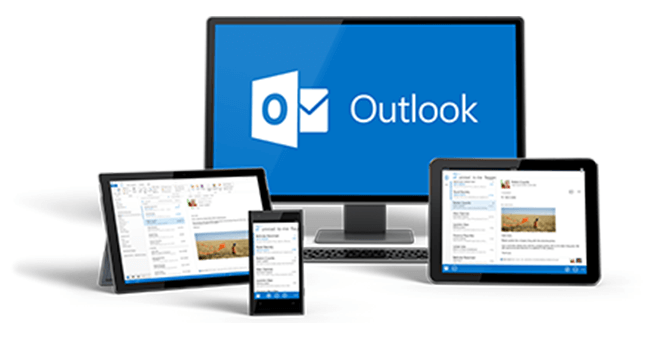
Did you know Outlook speaks ActiveSync? Outlook 2013 and Outlook 2016 can therefore be configured to synchronize your data via Z-Push.

With the additional Kopano Outlook Extension (KOE) you will even have your company’s address list always with you and you have access to the free/busy information of your colleagues.

Outlook

Kopano Core on desktop, web and mobile

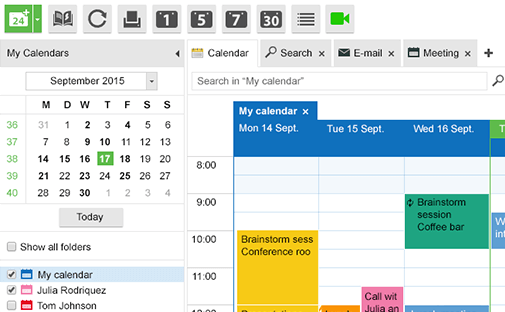
WebApp provides all the familiar email, advanced calendaring and contacts features you need to be productive. It helps you by providing an overview of what matters to you, whether this is your incoming email, your weekly schedule or the contact details of the person you really need to call.

Mobile synchronization helps ensure that all this important information is also available on the road.

Kopano Core on desktop, web and mobile

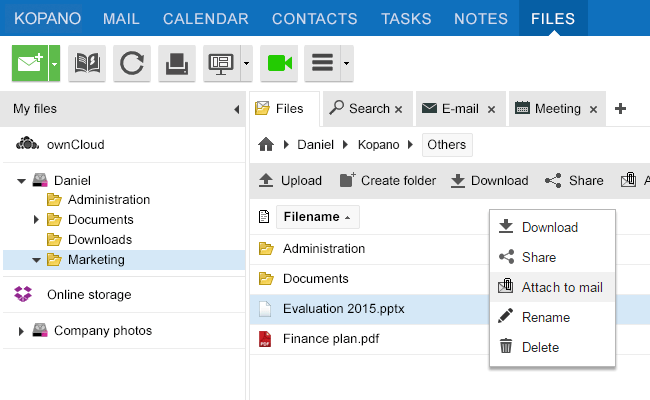
File sharing in WebApp

“Files” boosts your productivity by allowing you to use your existing storage solutions right from the WebApp interface. You can work together on files and projects, with team members both in and outside of your organisation.

The advanced driver backend allows you to leverage the sharing features of your storage solution while allowing you to stay in control of who can access your content.

File sharing in WebApp

Platforms

Certified for Univention Corporate Server badge

Kopano runs on most Linux platforms, but is also a “Certified for Univention Corporate Server” solution.

What's next with Kopano?

Please contact us to discuss the best way to take Kopano forward for existing on-premise and cloud based Kopano deployments, or new deployments that delivery ongoing digital sovereignty.
Quick Contact

For more contact options in ANZ & AsiaPac see CONTACT US.

To start reselling Kopano in ANZ & AsiaPac please contact us.

Interested? But got questions? A free initial discussion can help provide the answers, book HERE.

Need more information before you contact us? Please visit our blog HERE.